
Private Teacher Notes
Private Teacher Notes on Lessonspace allow admins and teachers to create and store lesson notes privately. You can use them to record reflections about a student, jot down reminders for the next lesson, or track progress over time.
In this article
Watch this demo on how to create a private teacher note:
Create a private teacher note
To create a private teacher note during your lesson:
- Join your lesson.
- Open a whiteboard and go to your App Library.
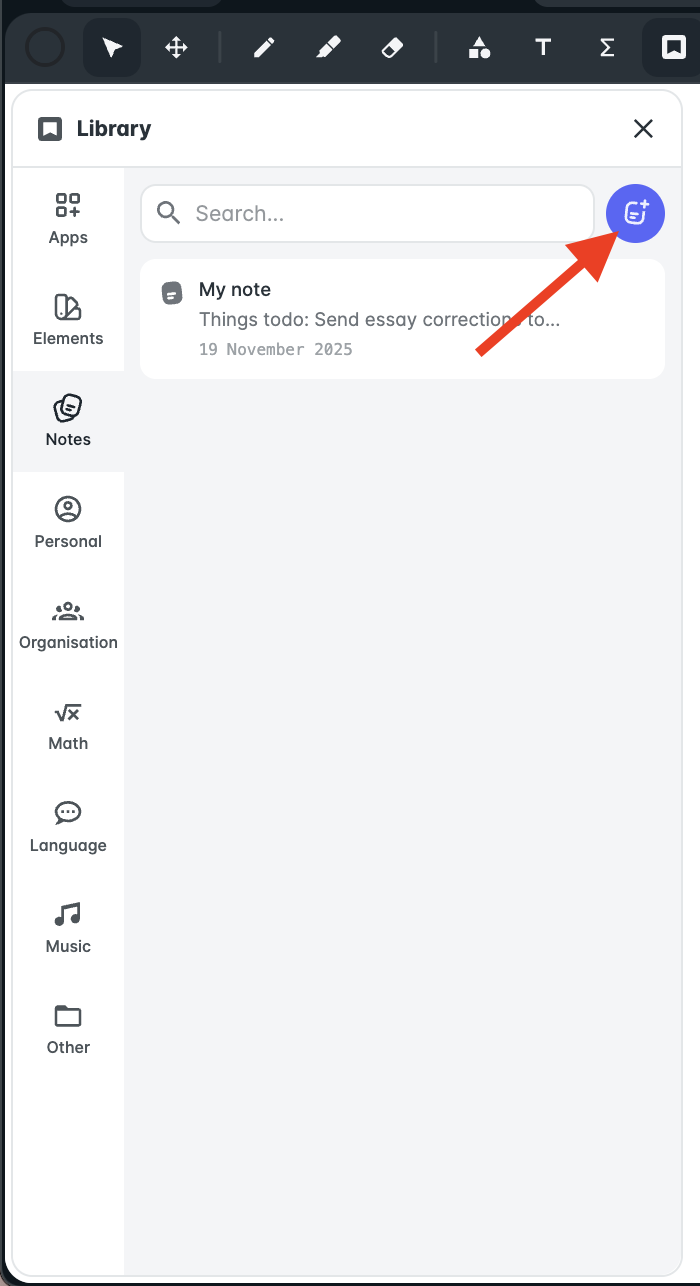
- Click Notes.
You’ll see a list of your previous notes, along with a New Note icon.
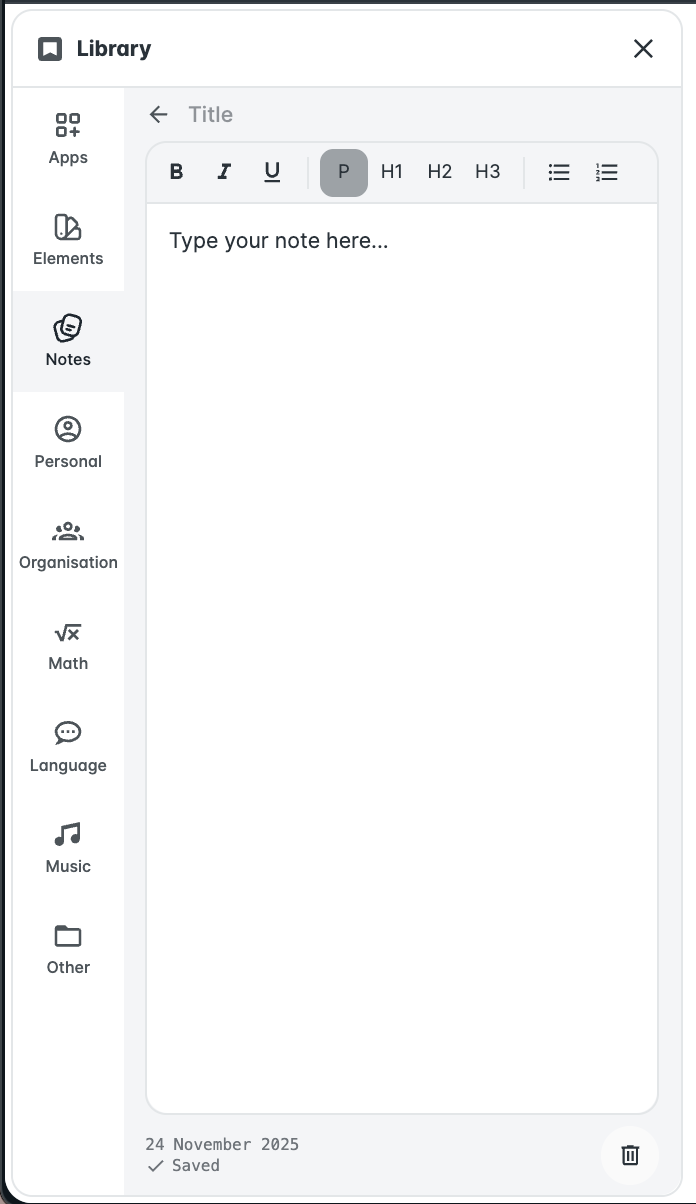
Type in your notes - they are private and visible only to you. Notes save automatically and remain stored for future reference.
Access and edit private teacher notes
To view or edit your notes, open the Notes section in your live lesson via the whiteboard, or go to your Dashboard and click Notes.

Here, you can access and edit your notes anytime. Changes save automatically, so you’ll always see the latest version when teaching live.
FAQs
I don’t see the Notes option.
Make sure you’re on a whiteboard and that you have a Teacher or Admin role in your organisation.
How do I save my notes?
Notes autosave - you won’t see a “Save” button.
How do I download my notes?
To download or share your notes, simply copy and paste the text into your preferred text editor or email them to yourself or your students.